Pet upgrades & pity
Failed upgrades count toward a guaranteed upgrade.
Upgrade a pet
- Open Pets and choose the pet you want to improve.
- Choose STR, AGL, SPD, or HP and supply the matching gem.
- Review the material cost, then confirm the upgrade.


How failure protection works
Failed attempts accumulate on that pet across upgrade categories. Once the protection threshold is reached, its next eligible upgrade succeeds. A successful upgrade clears the failure counter. Resetting the pet’s bonuses retains that counter.
The game displays five stars, including half-star steps. Match your pet’s displayed stars to the row below.
Success chances are shown before Diamond boosts or failure protection. Once protection is ready, the next eligible upgrade has a 100% success chance.
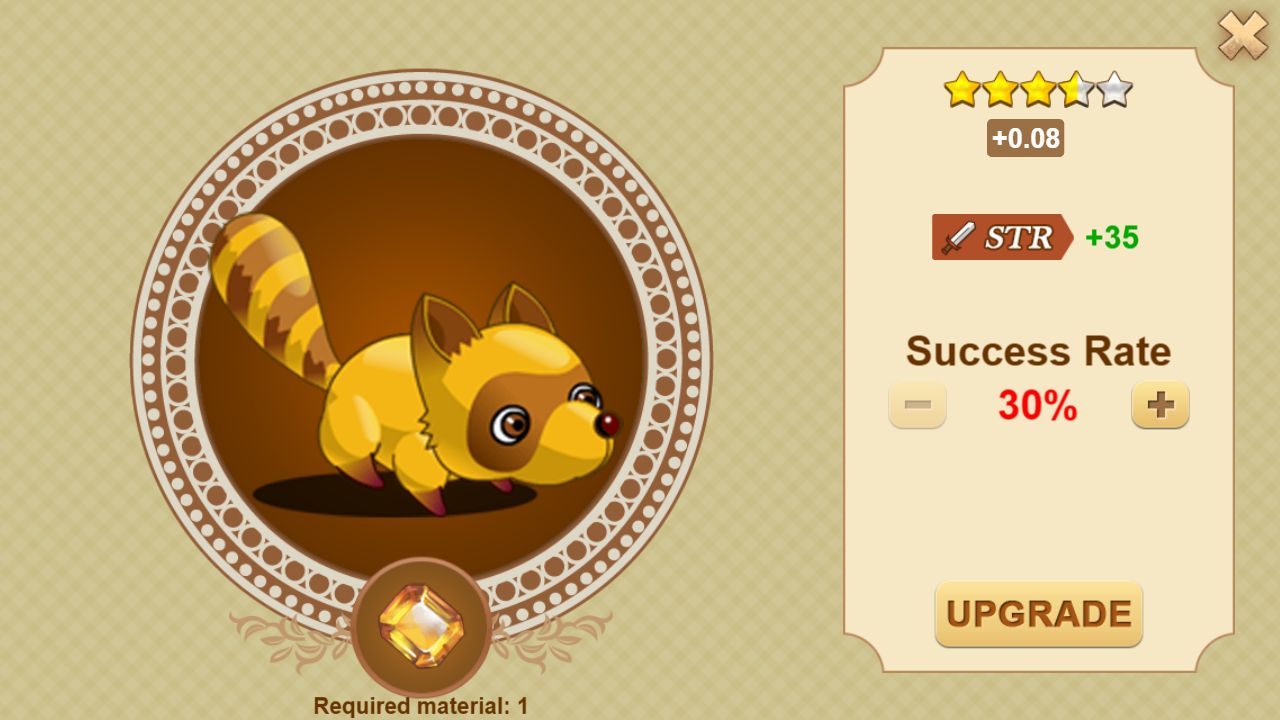
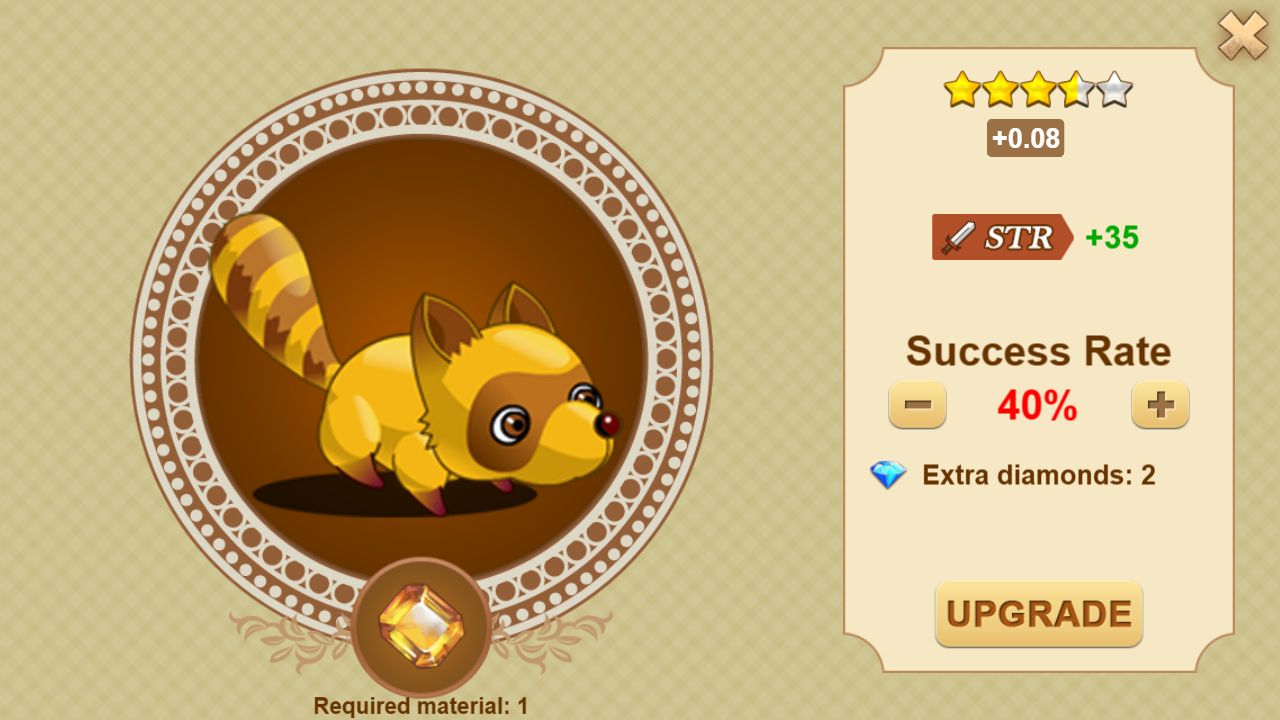
Use the + button twice: 2 Diamonds add 10 percentage points for this attempt. Maximum: 100%. No Diamonds are needed when pity already guarantees success.
Captured from the real pet-upgrade interface with local demonstration data. Select an image to enlarge it.
The table shows how many failed attempts are needed before the next attempt is guaranteed, at the pet’s current star level.
| Current stars | Base success chance | Failures before guarantee |
|---|---|---|
 | 100% | Guaranteed immediately |
 | 90% | 2 failed attempts |
 | 80% | 2 failed attempts |
| 70% | 2 failed attempts |
| 60% | 2 failed attempts |
| 50% | 3 failed attempts |
| 40% | 3 failed attempts |
| 30% | 4 failed attempts |
| 20% | 6 failed attempts |
| 10% | 12 failed attempts |
Protection belongs to the individual pet, not your entire collection. A pet at its upgrade capacity cannot be upgraded further.
Inventory slot upgrades
Equipment and weapon enhancements have their own shared failure protection. The table above applies to pets; slot enhancements use a different guarantee table.
Read about enhancement pity ›Resetting bonuses
A reset costs 40 Diamonds. Review the refund shown in the game before confirming. Pet capacity and visible base stats are listed on each pet page.