 Avatar Fight HD
Avatar Fight HD · Beta
Install Avatar Fight HD on Android, iPhone and PC
Keep the arena one tap away. Avatar Fight HD runs on the web and can be added to your home screen with the game icon. You can also play directly in your browser without installing anything.
Play the betaAndroid · Google Chrome
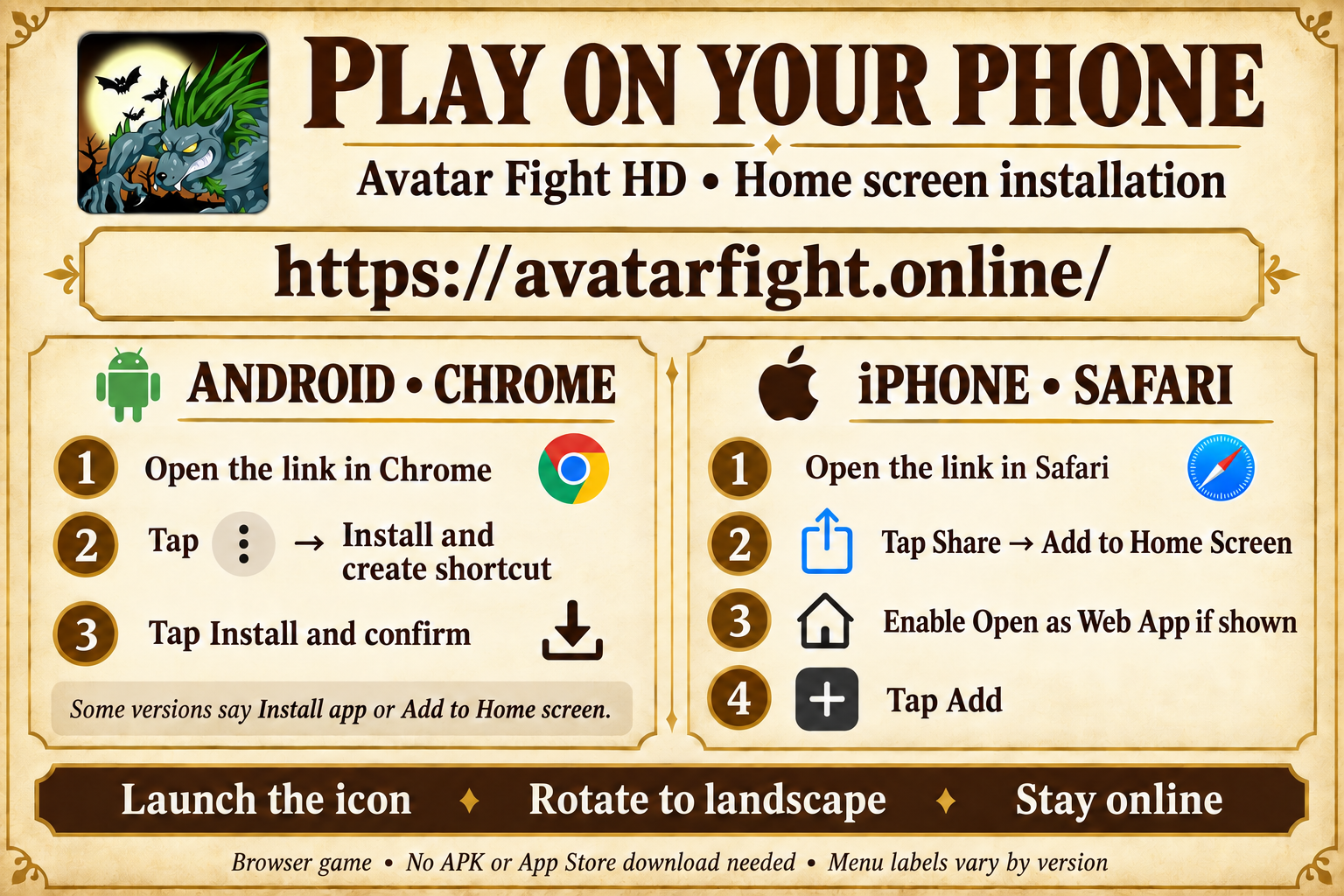
- Open avatarfight.online in Chrome, outside the Discord or social media in-app browser.
- Open the three-dot Chrome menu. Choose Add to Home screen, then Install. Some versions show Install app directly.
- Confirm Install and open Avatar Fight HD from your home screen or app drawer.
iPhone and iPad · Safari
- Open avatarfight.online in Safari. If you arrived through another app, open the link in Safari first.
- Open Share and choose Add to Home Screen. Depending on the Safari layout, Share may be inside the More menu. Scroll the share sheet if necessary.
- Keep Open as Web App enabled if that option appears, then tap Add.
- Open the Avatar Fight HD icon on your home screen and sign in or create an account.
Computer · Chrome or Edge
Open the website in Chrome or Edge. Use the install icon in the address bar or the browser menu if offered, then confirm. Playing in a normal browser tab also works.
After installation
The installed app opens directly into the game. Use landscape orientation on your phone for the game layout. You still need an internet connection: adding the app does not turn this online game into an offline game. Installation does not transfer an account from the original service.
No install option?
Update your browser and open the website in a normal tab, rather than a private tab or an in-app browser. An already installed app may no longer show an install prompt. If Chrome offers only Create shortcut, that adds a browser shortcut; you can still play. Menu names and positions vary by device, browser version and language.
Browser instructions
Apple: turn a website into a web app · Google: install and use web apps